The initial request
Jayakarna Megawe Logistik needed consistent spreadsheet formulas for job sheets and invoices. Changes to formulas meant the admin had to recheck calculations manually.
Looking at the full workflow revealed another problem: customer, shipper, and buying/selling details were repeatedly entered for related documents. The process was not centralised, and monthly reporting needed extra work.
Choose the scope before the stack
I considered repairing the Excel templates, building a Laravel application, and using Google Apps Script with Sheets and Drive. A formula-only repair would still leave repeated input in place.
I selected Apps Script for this one-user workflow, considering Sheets/Drive integration and the client’s operational and infrastructure needs. I already had Laravel experience but had not previously built an Apps Script application. The choice included learning a new tool rather than defaulting to the stack I knew best.
This was a project-specific judgment. It is not evidence that Apps Script is generally cheaper or better than Laravel.
One input, connected documents
The application provides customer and shipper master data, selectable records with autofill, buying and selling line items, automatic calculations, and PDF job sheets and invoices stored in Drive. Google Sheets holds the application data.
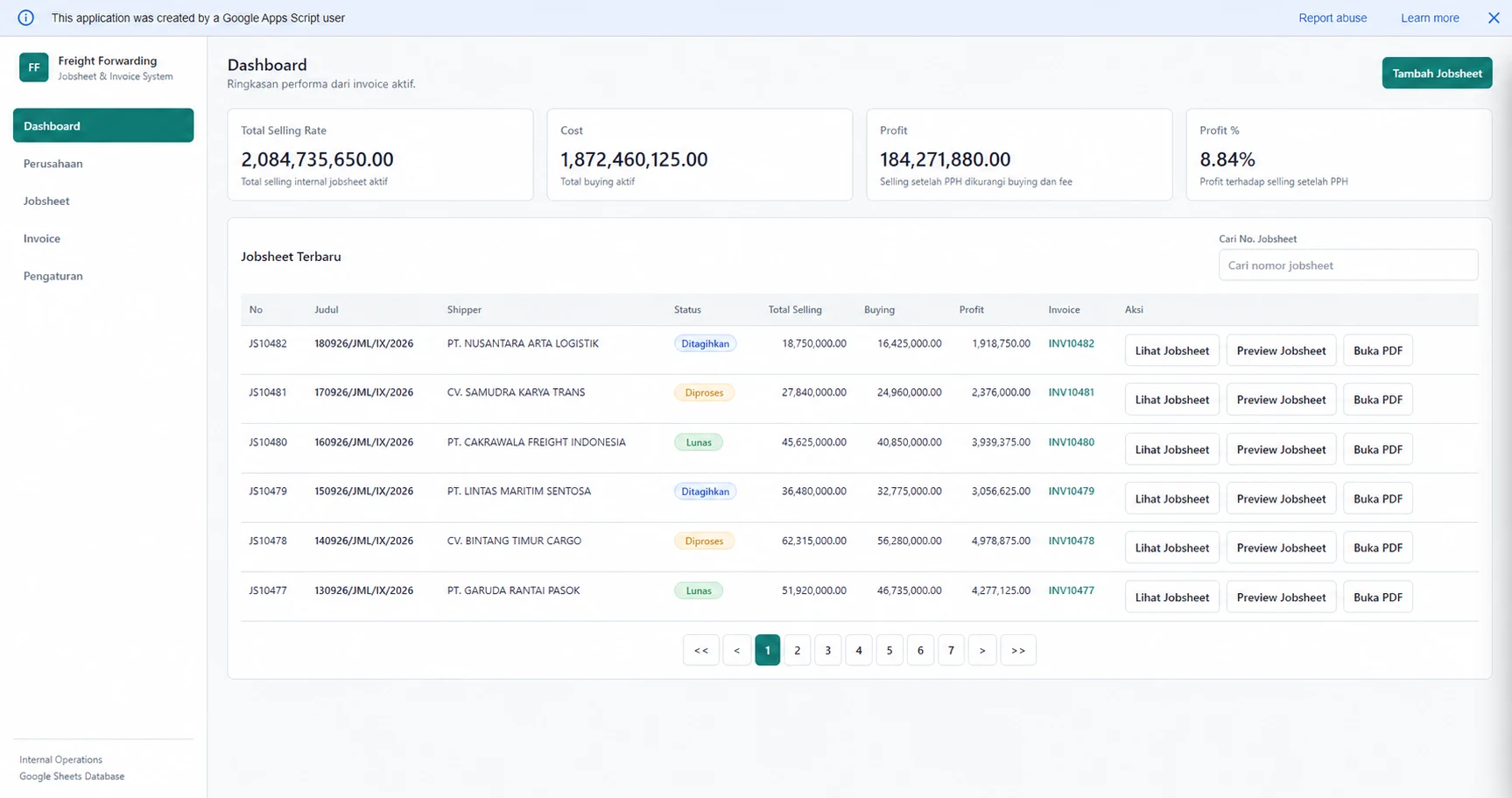
The dashboard brings those records and document actions together. The design goal was to remove repeated work, not simply reproduce the spreadsheet on a web page.
The result, with its measurement limit
According to the client’s estimate, preparing one job sheet and invoice changed from about 15 minutes to about 5-6 minutes.
The reported volume was 32 document pairs per month. Applying that volume to the estimated time difference gives approximately 4 hours 48 minutes to 5 hours 20 minutes saved per month.
These are calculations from the client’s estimates, not instrumented timings or an audited time study. The screenshot uses dummy data and does not independently validate the time estimate.
What remains unproven
The application was intended for one user. It has not been validated through representative data-volume or concurrent-user load tests. Initial capacity estimates were not a substitute for those tests.
The client later requested monthly filtering, report previews, and Excel exports. Those requests show evolving requirements; they do not by themselves prove completed work or payment.